Eight oscillators. Your hands on the sound.
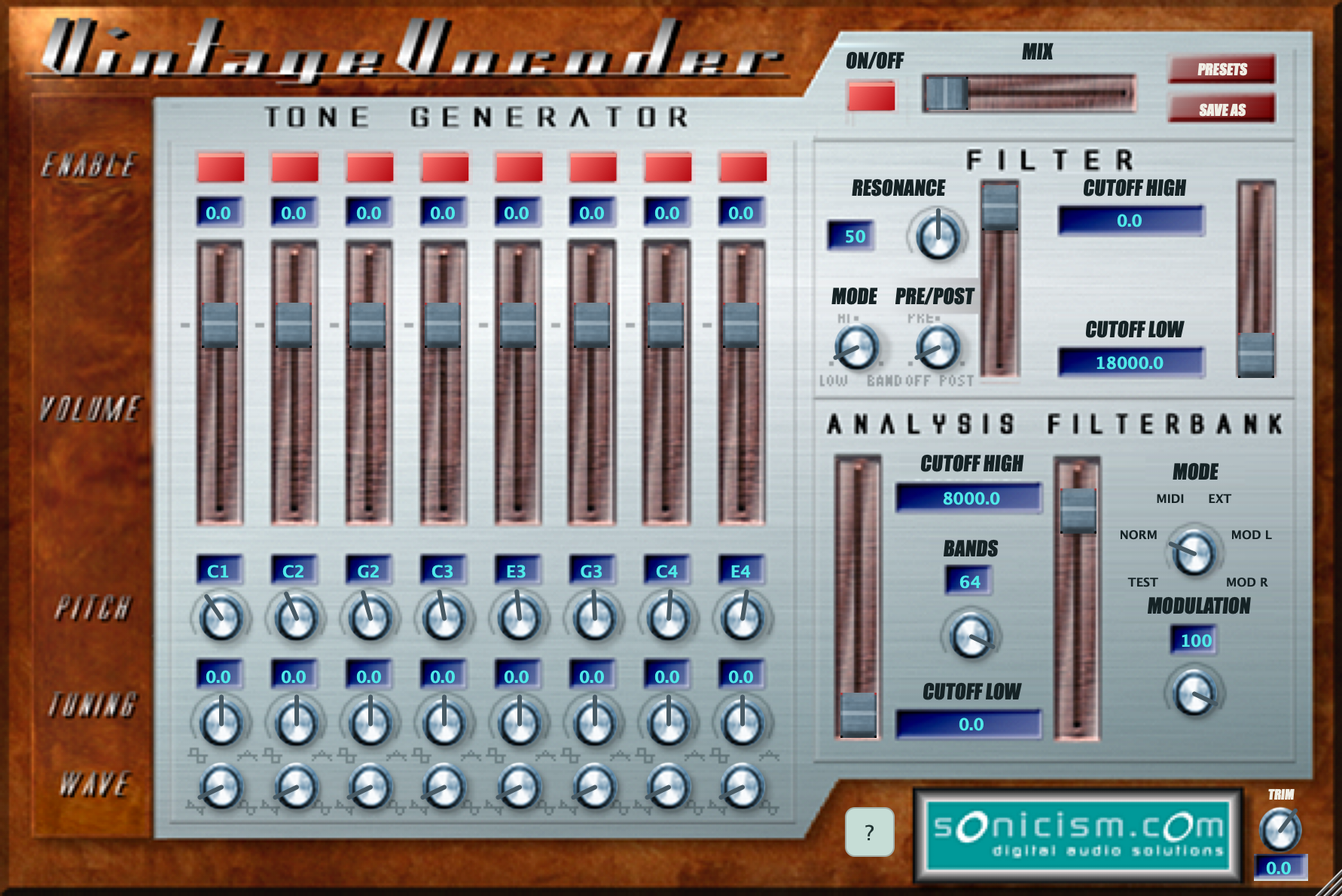
Blend sine, saw, square and triangle waves. Set each oscillator’s pitch, level and tuning in NORM mode, or switch to MIDI and play the carrier from your keyboard or DAW.
Sonicism, 2002. Ruminant Audio Works, today.
It really is vintage now.
The original Sonicism vocoder from 2002, brought back for modern Macs, Windows and Linux. Robot voices, singing synths and spectral mischief — with MIDI finally in charge of the oscillators.
Free downloadFree download. No signup.
macOS 12+ · Windows x86-64 · Linux ARM64 + x86-64
© FAAFOE and Picky the Producer, Brighton UK 2026
Old code. New tricks.
Use speech, a drum loop or another audio source to shape a carrier. Build that carrier with the eight internal oscillators, play it with MIDI, or bring your own audio.
Blend sine, saw, square and triangle waves. Set each oscillator’s pitch, level and tuning in NORM mode, or switch to MIDI and play the carrier from your keyboard or DAW.
MIDI mode brings velocity, sustain and pitch bend to the internal carrier. Enabled oscillators set the available polyphony; the modulation wheel moves the filter cutoffs.
Choose from 1 to 64 analysis bands, set the frequency range and sculpt the result with the resonant filter. Blend dry and vocoded audio, then trim the final output.
Explore 30 factory presets, including the recovered originals and six Getting Started sounds. Save your own settings as named presets and come back to them later.
From the archives
Original design and DSP © Tom Taylor, 2002. Restoration and development by Tom Taylor.
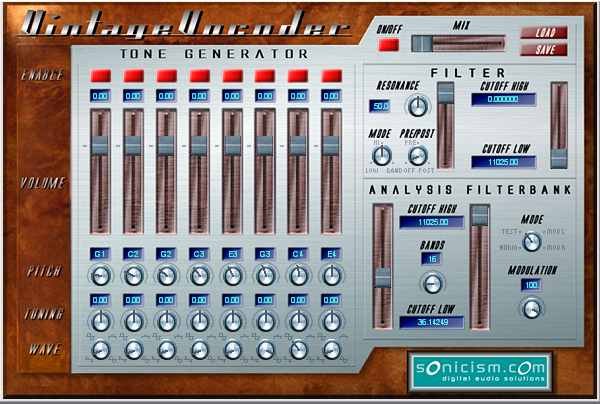
Vintage Vocoder was released by Sonicism in 2002 — a heady time for plug-in development. Its FFT-based vocoder grew out of Tom Taylor’s undergraduate thesis, then found its way into the robot voices and sound effects of Microsoft’s epic space adventure game, Freelancer.
The code was eventually open sourced on SourceForge. Then life took over: an unrelated startup, followed by kids, left the project waiting.
Nearly 25 years later, Tom returned to finish what he started — using the OG Vintage Vocoder code, with a cheeky assist from AI to level things up. The original character and interface live on, with MIDI finally in charge of the oscillators.
It’s older code, but it checks out.
Get started
A vocoder uses a modulator to shape a carrier. Start with a voice as the modulator and the internal oscillators as the carrier.
Quit your DAW. On macOS, run the installer and select AAX (Pro Tools), Audio Unit (AU), VST2 or VST3. On Windows, select AAX (Pro Tools), VST2 or VST3 in the installer. On Linux, extract the matching archive and copy the complete Vintage Vocoder FX.vst3 bundle into ~/.vst3/. Reopen your DAW and rescan plug-ins if needed.
Insert Vintage Vocoder FX on a vocal or another audio track. Choose NORM mode and play the track to hear the audio shape the fixed internal carrier. Keep the MIX control towards wet to hear the effect clearly.
Switch to MIDI mode and route a MIDI track or keyboard to the effect. In Pro Tools, send a MIDI track to the Vintage Vocoder FX instance on channel 1; enable MIDI Thru and record-arm the MIDI track for live playing. Keep the vocal or other modulator audio running while you play notes.
The MODE knob selects where the carrier and modulator come from.
Need a hand with a control? Turn on the ? button beside the Sonicism badge and hover for help.
Yours to play with
A free vocoder for Mac, Windows and Linux, ready to use in your DAW. Choose your system below.
Version 1.6.0 · 35.0 MB · AAX + AU Music Effect + VST2 + VST3
macOS Monterey (12) or later · Apple Silicon + Intel
Developer ID signed and notarized by Apple.
Windows x86-64 · Pro Tools or a compatible 64-bit VST2/VST3 host
Windows x86-64 installer10.1 MB · .exe
Requires administrator approval. The installer is not Authenticode-signed; Windows may show an unknown-publisher warning.
Ubuntu 22.04 / glibc 2.35 or later · 64-bit VST3 host
5.4 MB · .tar.gz
5.4 MB · .tar.gz
Extract the archive and copy the complete Vintage Vocoder FX.vst3 bundle into ~/.vst3/. Choose the architecture matching both your Linux system and your DAW.
Free for personal and commercial use. No TayPE licence required.
Requires a compatible host. AAX Native is included for Pro Tools on macOS and Windows, with developer smoke tests on both platforms. Linux downloads are VST3.
ec7895497da761f1196ef2b4aeac66aad50ef24941bc14bbda7a8600709e83e4
Loading the video connects to YouTube. Google may use cookies and browser storage when you use the player.
Development updates, studio sessions, and behind-the-scenes from Ruminant Audio Works.
Bug to report, question, or just want to say hi? Drop us a line — anonymous is fine, but leave your email if you'd like a reply.